 如何获取API密钥
如何获取API密钥:
-
Visit Google Cloud Console
-
Create a new project or select an existing project
-
Select "APIs & Services" > "Enabled APIs & Services" in the left menu
-
Click "Enable APIs and Services" at the top
-
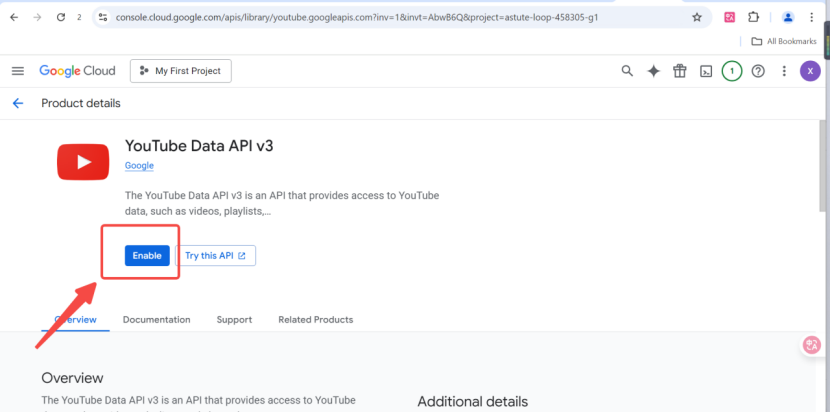
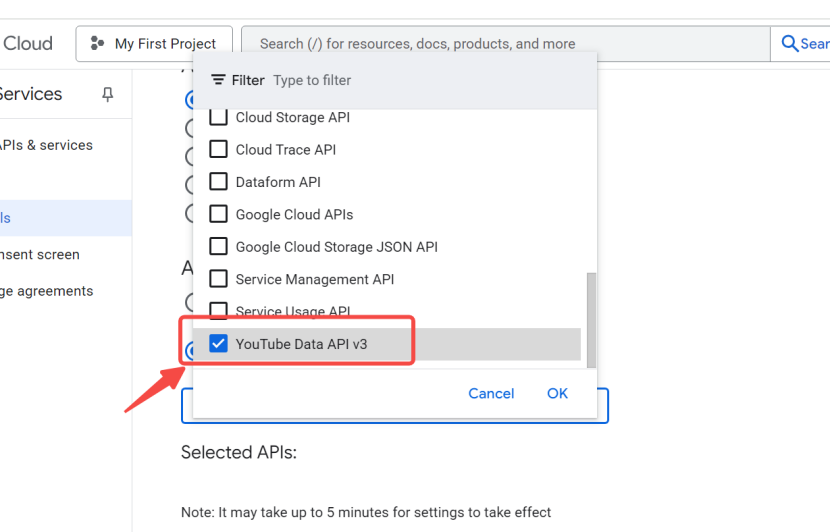
Search for and enable "YouTube Data API v3"
-
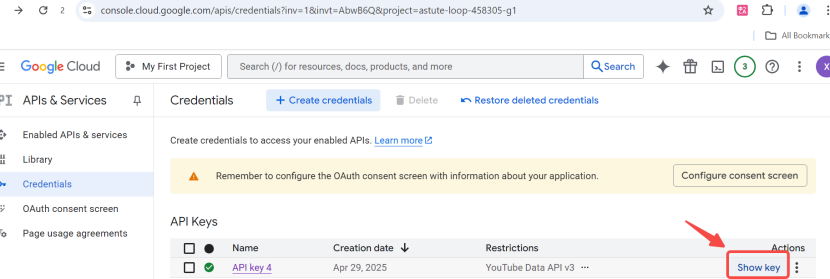
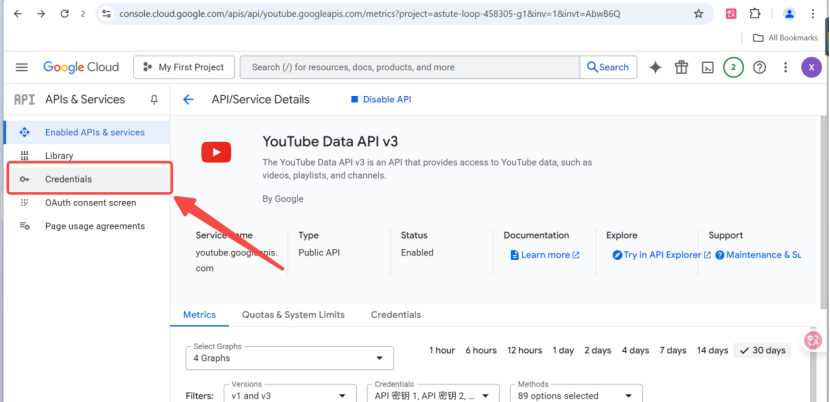
Select "Credentials" in the left menu
-
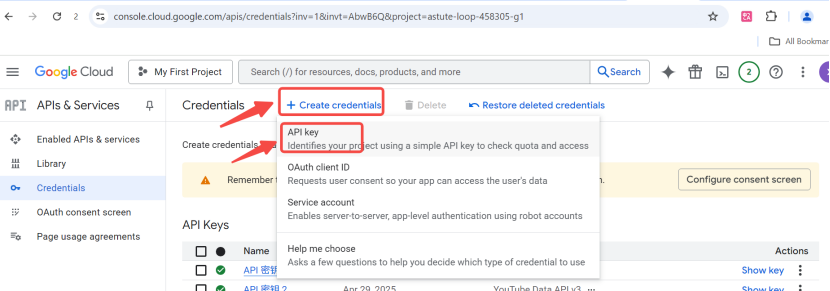
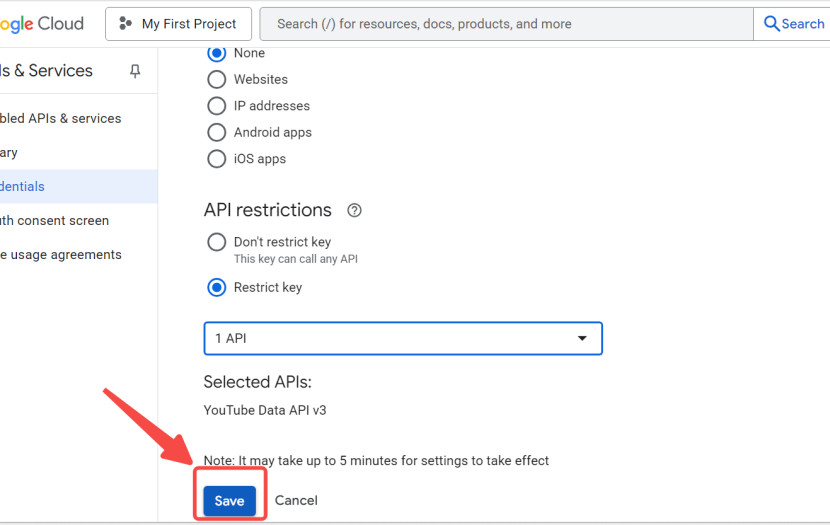
Click "Create Credentials" > "API key"
-
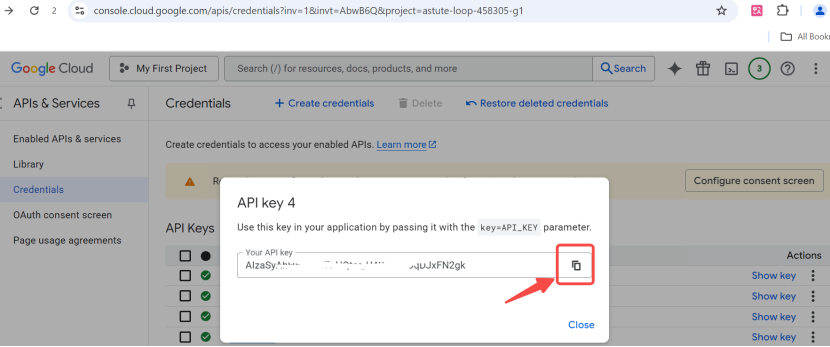
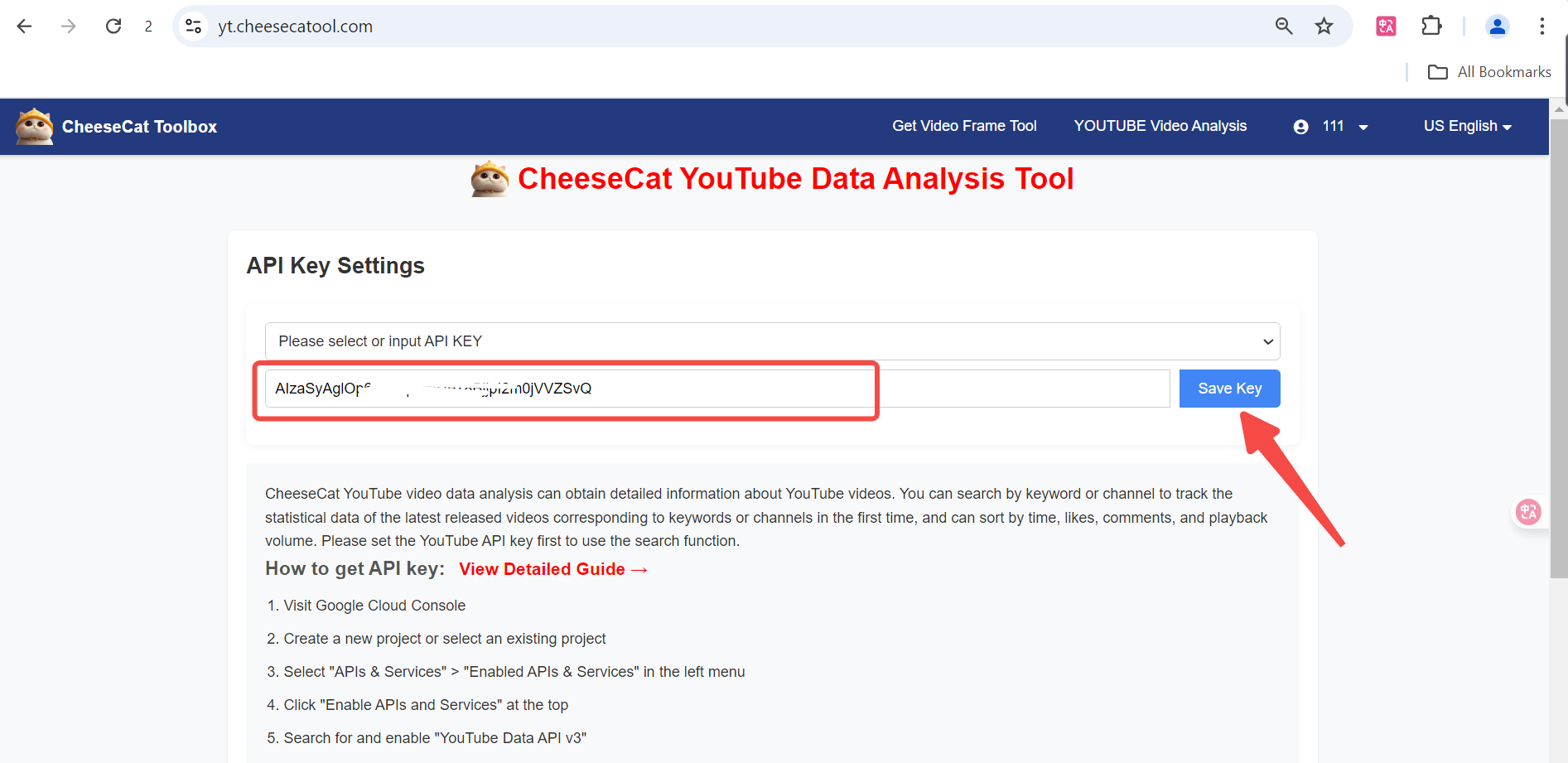
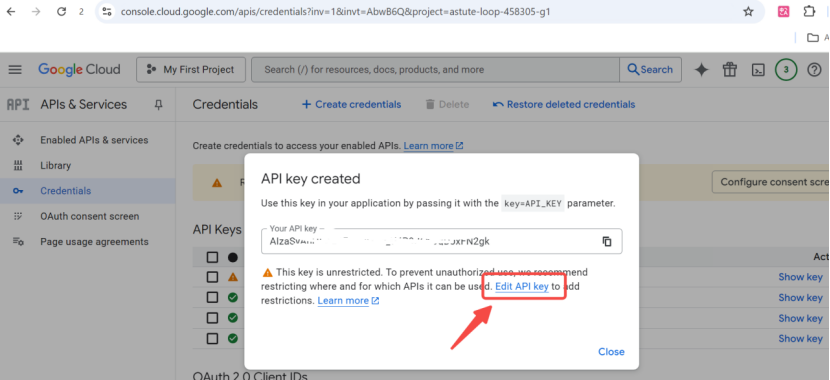
Copy the generated API key and paste it into the input box